Office Security – Basic 1 Security Education Lesson Note (First Term)
Download this term · ₦1,000Lesson note at a glance
- Subject
- Security Education
- Class
- Basic 1
- Term
- First Term
- Topic
- Office Security
- Order
- Topic 7 of 8 this term
- Reading time
- 5 min
Office security means keeping the workplace safe from thieves, fire, accidents and other dangers. It protects the workers, the office equipment, important documents and the company’s information. Offices stay secure when workers lock doors, switch off appliances and lights, close windows, check rooms before leaving, and use security guards, ID cards and cameras.
Behavioural objectives
By the end of the lesson, students should be able to:
- Say what office security means
- Give reasons why office security is important
- Name the main office security measures
- Name the things to check before leaving an office
What is office security?
An office is a place where people work. Like our homes, offices must also be kept safe and secure. Your parents may work in offices, and it is important to know how they stay safe.
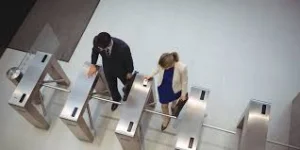
Office security means keeping the workplace safe from thieves, fire, accidents and other dangers. It protects the workers and the office equipment.
Why is office security important?
- Protects workers from danger
- Keeps important documents safe
- Prevents theft of computers and equipment
- Prevents fire
- Makes workers feel safe
- Protects the company’s information
What are the important office security measures?
Lock all doors when leaving
Why it is important
- Thieves can steal computers, money and documents
- Vandals can damage the office
- Unauthorised people should not enter
What doors to lock
- Main entrance doors
- Individual office doors
- Store rooms
- Server rooms
When to lock
- At the end of the work day
- During lunch break if the office is empty
- Weekends and holidays
Who should have keys
- Authorised staff only
- Security guards
- Management
Turn off all electrical appliances
What to turn off
- Computers and monitors
- Printers and photocopiers
- Coffee makers
- Fans and air conditioners
- Heaters
- Phone chargers
Why
- Prevents fire: Electrical appliances can overheat and cause fire
- Saves electricity: Reduces electricity bills
- Protects equipment: Makes appliances last longer
- Prevents electric shock: Safer when no one is around
How to do it properly
- Do not just put devices in sleep mode. Turn them OFF
- Unplug items that generate heat
- Switch off at the power source
- Check all rooms before leaving
Switch off all lights
Why
- Saves electricity and money
- Reduces risk of electrical fire
- Shows the office is closed
Which lights to switch off
- Office lights
- Corridor lights (except security lights)
- Toilet lights
- Kitchen lights
Which lights to leave on
- Security lights outside
- Emergency exit lights
Close all windows
Why
- Thieves can climb in through windows
- Rain can damage documents and computers
- Wind can blow papers away
- Prevents animals from entering
When
- Before leaving for the day
- Before weekends
- When it is about to rain
- At night
Check all rooms before leaving
What to check
- Are all people out?
- Are all lights off?
- Are all appliances switched off?
- Are all windows closed?
- Is anything left burning? (stoves, candles)
- Are taps turned off?
- Are important documents locked away?
Why this matters
- Someone might be accidentally locked in
- Something dangerous might be left on
- You can spot problems before they become serious
Have security guards
Their duties
- Watch who enters and leaves
- Check bags and vehicles
- Patrol the building at night
- Report suspicious activities
- Respond to emergencies
- Control access with ID cards
Why they are important
- Provide 24-hour security
- Deter criminals
- Are first responders in emergencies
- Monitor security cameras
Use ID cards or badges
What they are
- Special cards with your photo and name
- Show you are allowed to be in the office
Why they are used
- Control who enters the building
- Track who is in the office
- Prevent unauthorised access
- Help in emergencies (know who is inside)
Rules
- Wear your ID card always at work
- Do not lend it to others
- Report it immediately if lost
Install security cameras (CCTV)
Benefits
- Record everything that happens
- Can identify thieves
- Make people behave properly
- Can be reviewed if something goes wrong
Keep valuables locked away
What to lock
- Money and petty cash
- Important documents
- Laptops and electronics
- Confidential files
Where to lock them
- In safes
- Locked cabinets
- Secure rooms
Have fire safety equipment
Important equipment
- Fire extinguishers in every room
- Fire alarms
- Emergency exits clearly marked
- Fire escape plan displayed
Why
- Quick response to fire
- Saves lives
- Prevents damage
What are some additional office security tips?
- Report suspicious strangers in the office
- Do not leave money or valuables on desks
- Lock computer screens when leaving your desk
- Do not share passwords
- Report broken security equipment
- Know the emergency exits
- Take part in fire drills
- Keep emergency numbers handy
Office security checklist
Check these things before leaving the office:
- All computers and printers turned off
- All lights switched off
- All windows closed and locked
- All doors locked
- All electrical appliances off
- Coffee maker and kettle off
- All taps turned off
- Valuables locked away
- Security alarm activated
- Security guard informed
What can children learn from office security?
Even though you do not work in offices yet, you can:
- Understand why your parents lock up at work
- Practise these habits at home and school
- Learn to be security-conscious
- Turn off lights and fans when leaving rooms
Class activity
Role play: Students pretend to close an office. They check items on the security checklist.
Evaluation
Choose the correct answer.
- When leaving the office, we should _____ the door.
- a) break
- b) lock
- c) open wide
- We turn off electrical appliances to prevent _____.
- a) rain
- b) fire
- c) wind
- Security guards help to _____ the office.
- a) cook in
- b) sleep in
- c) protect
- Before leaving the office, you should _____ all windows.
- a) break
- b) close
- c) paint
- ID cards help to _____.
- a) play games
- b) identify who should be in the office
- c) buy food
Answers: 1-b, 2-b, 3-c, 4-b, 5-b
Assignment
- Ask your parents: What do they do to keep their office safe before leaving work?
- Draw an office with a security guard at the entrance.
- Make a simple checklist of 3 things to check before leaving a room (like turning off lights).
This term's Security Education topics
Basic 1 First Term · 8 topics
Get Security Education as PDF and Word
Every week of Basic 1 Security Education, First Term, formatted and ready to print. Ad-free, and the copy lock comes off.
Get this term Card, bank transfer, USSD or OPay
First Term Security Education Lesson Notes for Other Topics
Personal Security
Read the full lesson note.
Home Security
Read the full lesson note.
Security Gadgets
Read the full lesson note.
Security Colours
Read the full lesson note.
Security Alert Signs
Read the full lesson note.
Concept of Security II
Read the full lesson note.
Concept of Security
Read the full lesson note.
Personal Security
Read the full lesson note.
Types of Personal Security
Read the full lesson note.
Importance of Personal Security
Read the full lesson note.
Precautionary Measures on Personal Security
Read the full lesson note.

Personnel to Contact during Emergency
Read the full lesson note.
Emergency Phone Numbers
Read the full lesson note.
Acting Properly in the Face of Danger
Read the full lesson note.
Revision - Final Review and Assessment
Read the full lesson note.
Lesson Notes for Other Classes

Basic 2 Lesson Note
The complete lesson note to guide your studies.

Basic 3 Lesson Note
The complete lesson note to guide your studies.

Basic 4 Lesson Note
The complete lesson note to guide your studies.

Basic 5 Lesson Note
The complete lesson note to guide your studies.

Basic 6 Lesson Note
The complete lesson note to guide your studies.
JSS1 Lesson Note
The complete lesson note to guide your studies.