
The System Unit – JSS1 Computer Studies Lesson Note (Second Term)
Download Lesson NoteLesson note at a glance
- Subject
- Computer Studies
- Class
- JSS1
- Term
- Second Term
- Topic
- The System Unit
- Order
- Topic 2 of 9 this term
- Reading time
- 5 min
The system unit is the main box of the computer. It is sometimes called the “tower” or “case.” This box holds all the important parts that make the computer work. The system unit is like the brain and heart of the computer.
Behavioural objectives
By the end of the lesson, students should be able to:
- describe what the system unit looks like
- name the main parts inside the system unit and state what each one does
- identify the common ports and say what plugs into each
- state ways of taking care of the system unit
- explain why the system unit gets hot and how fans help
What does the system unit look like?
The system unit is usually a rectangular box made of metal or plastic. It can be:
- Big and tall (tower)
- Medium size (mid-tower)
- Small and flat (desktop)
- Very small (mini or micro)
Most system units are black, silver or white, but some can be colourful or have lights.
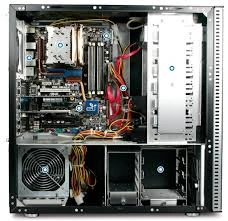
What parts are inside the system unit?
Motherboard
The motherboard is a big flat board with many small parts on it. It connects all the other parts together. Think of it like the streets in a city that connect all the buildings.
CPU (Central Processing Unit)
The CPU is the brain of the computer. It does all the thinking and maths. It is small but very powerful. The CPU gets very hot when it works, so it needs a fan to keep it cool.
RAM (Random Access Memory)
RAM is the computer’s short-term memory. It holds information the computer is using right now. When you turn off the computer, everything in RAM is lost. More RAM helps your computer run faster.
Hard drive
The hard drive is where the computer stores all your files, programs and the operating system. It is like a big bookshelf for all your computer’s information. It keeps everything even when the computer is turned off.
Power supply
The power supply takes electricity from the wall and changes it to the right kind for your computer to use. It has a fan to keep it cool.
DVD/CD drive
This lets you put CDs or DVDs into your computer to watch movies or install programs. Many new computers no longer have these.
Video card (graphics card)
This makes pictures and videos look good on your screen. Gamers and people who make videos need very good video cards.
Sound card
This makes sound come out of your speakers or headphones. Most motherboards have sound cards built in.
Network card
This lets your computer connect to the internet. It can be for cables or for Wi-Fi.
Cooling fans
These blow air through the system unit to keep all the parts cool. Computers get very hot when they work hard.
What are ports and connectors?
The system unit has many holes called “ports” where you can plug things in:
- USB ports: for connecting most devices, such as mice, keyboards and flash drives
- Audio ports: for speakers and microphones
- Video ports: for connecting monitors (HDMI, DisplayPort, VGA)
- Network port: for an internet cable
- Power port: where the power cord plugs in
How do we take care of the system unit?
To keep your system unit working well:
- Keep it in a clean, dry place
- Do not block the air vents
- Clean dust out carefully (when turned off)
- Do not drop it or hit it
- Keep drinks away from it
- Do not open it unless you know what you are doing
Why does the system unit get hot?
The parts inside the system unit work very hard and create heat. This is normal. The fans help keep everything cool. If the fans stop working or if the system unit gets too hot, the computer might turn off by itself to prevent damage.
What sizes of system units are there?
Different computers have different sized system units:
- Desktop computers: medium to large system units
- Gaming computers: often large, with extra fans and lights
- Office computers: usually medium-sized
- Small home computers: can be very small
- Laptops: have tiny system units built into the bottom part
What makes a good system unit?
A good system unit should have:
- A fast CPU
- Enough RAM for your needs
- Plenty of storage space
- Good cooling
- The right ports for your devices
- Room to add new parts later
How does the system unit work with other computer parts?
The system unit works with other computer parts:
- Monitor: shows what the computer is doing
- Keyboard: for typing
- Mouse: for pointing and clicking
- Speakers: for sound
- Printer: for making paper copies
All these parts plug into the system unit. Without the system unit, none of the other parts would work.
Inside and outside the system unit
We only see the outside of the system unit, but the most important parts are inside. The outside protects the inside parts and keeps them safe.
How can people customise a system unit?
Some people like to make their system unit look cool:
- Cases with windows to see inside
- Coloured lights
- Special paint
- Stickers or decals
Evaluation
- What is the system unit? Give two other names for it.
- What does the motherboard do?
- What is the difference between RAM and the hard drive?
- Name three ports on the system unit and say what plugs into each.
- Why does the system unit get hot, and what helps to keep it cool?
Assignment
- List five parts inside the system unit and write one sentence on what each one does.
- Write down four ways of taking care of the system unit.
This term's Computer Studies topics
JSS1 Second Term · 9 topics
Second Term Computer Studies Lesson Notes for Other Topics

Starting Up a Computer
Read the full lesson note.

Parts of a Computer (Peripherals)
Read the full lesson note.

Starting Up a Computer
Read the full lesson note.
Basic Safety for Computers
Read the full lesson note.
Computer Room
Read the full lesson note.

Computer Room
Read the full lesson note.
Basic Safety for Computer Room
Read the full lesson note.

System Application
Read the full lesson note.

Important Computer Applications
Read the full lesson note.
Difference Between Hardware And Software
Read the full lesson note.
Components Of CPU
Read the full lesson note.

More Parts Of The CPU
Read the full lesson note.
Arithmetic Logic Unit (ALU) & Storage Unit in CPU
Read the full lesson note.

Input Devices
Read the full lesson note.

Launching Microsoft Word
Read the full lesson note.
Lesson Notes for Other Classes

Basic 1 Lesson Note
The complete lesson note to guide your studies.

Basic 2 Lesson Note
The complete lesson note to guide your studies.

Basic 3 Lesson Note
The complete lesson note to guide your studies.

Basic 4 Lesson Note
The complete lesson note to guide your studies.

Basic 5 Lesson Note
The complete lesson note to guide your studies.

Basic 6 Lesson Note
The complete lesson note to guide your studies.

