
Computer Virus – SS3 Data Processing Lesson Note (First Term)
Download this term · ₦1,000Lesson note at a glance
- Subject
- Data Processing
- Class
- SS3
- Term
- First Term
- Topic
- Computer Virus
- Order
- Topic 6 of 9 this term
- Reading time
- 4 min
A computer virus is a program that copies itself into other programs and damages a computer, its programs and its files.
Behavioural objectives
By the end of the lesson, students should be able to:
- Define a computer virus.
- State the three types of computer virus.
- Explain how each type of computer virus infects a computer.
- List common signs that a computer is infected.
- State ways of preventing and removing computer viruses.
Instructional techniques
- Identification: students pick out the types of virus from examples.
- Explanation: the teacher explains each type and how it spreads.
- Questions and answers: short oral questions check understanding.
- Demonstration: the teacher shows how an antivirus program scans a disk.
- Videos from source: short videos show the effects of viruses.
Instructional materials
- Videos and loudspeaker
- Pictures
- Data Processing for Senior Secondary Education by Hiit Plc
- WAPB Computer Studies for Senior Secondary I by Adekunle et al.
- Online materials
What is a computer virus?
A computer virus is a program that can copy itself by changing other programs to include a copy of itself.
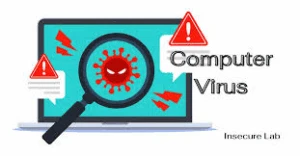
- Purpose: a virus is written on purpose by a software developer to damage the computer, programs and files where it lives.
- Messages: a virus may also be designed to display unwanted messages.
- Behaviour: it makes the infected system work in ways not originally planned.
- Visibility: a virus cannot be seen with the natural eye, but its effects can be noticed on an infected system.
How does a computer virus spread?
A virus spreads when an infected file or disk is opened, copied or run on a clean computer.
- Infected flash disks: plugging an infected flash disk into a clean computer passes the virus on.
- Email attachments: opening an attachment from an unknown sender can release a virus.
- Unsafe downloads: files from untrusted websites may carry a virus.
- Pirated software: copied programs often come with hidden viruses.
- Networks: an infected computer can pass a virus to others sharing files with it.
What are the types of computer virus?
There are three types of computer virus taught here: boot sector virus, executable file virus and document virus.
What is a boot sector virus?
A boot sector virus is a virus that places itself on the boot sector of a hard drive or flash disk.
- Target: hard drives and flash disks.
- Spread: it passes on when a computer boots from an infected disk.
- Effect: booting up from an infected flash disk can cause damage to the hard drive.
What is an executable file virus?
An executable file virus is a virus that attaches its code to executable files, such as .EXE and .COM files.
- Target: program files that end in .EXE or .COM.
- Spread: the infection moves on each time the infected program is run.
- Effect: the virus program runs before the host program is executed.
What is a document virus?
A document virus is a virus that hides inside a document file and infects it when the document is opened.
- Target: document files, such as word-processing and spreadsheet files.
- Method: it often hides in macros, which are small instructions stored inside the document.
- Spread: it passes on when the document is opened, copied or sent as an email attachment.
How do the three types compare?
| Type | What it infects | When it becomes active |
|---|---|---|
| Boot sector virus | Boot sector of hard drives and flash disks | When the computer boots from the infected disk |
| Executable file virus | .EXE and .COM program files | When the infected program is run |
| Document virus | Document files | When the infected document is opened |
What are the signs of a computer virus infection?
The signs of an infection are unusual changes in the way the computer works.
- Slow performance: the computer takes longer than usual to start or run programs.
- Strange messages: unwanted messages or pictures appear on the screen.
- Missing or damaged files: files disappear or cannot be opened.
- Program faults: programs fail to open or close without warning.
- Unplanned restarts: the computer shuts down or restarts on its own.
How can computer viruses be prevented?
Viruses are prevented by safe habits and by using antivirus software.
- Install antivirus software: keep it updated so it can detect new viruses.
- Scan removable disks: scan every flash disk before opening its files.
- Be careful with email: do not open attachments from unknown senders.
- Avoid pirated software: install programs only from trusted sources.
- Back up files: keep copies on another disk so work is not lost.
- Do not boot from unknown disks: remove flash disks before starting the computer.
What is antivirus software?
Antivirus software is a program that detects, blocks and removes computer viruses.
- Examples: Avast, AVG, Kaspersky, Norton and Windows Defender.
How do you scan a flash disk for viruses?
- Plug the flash disk into the computer.
- Open the antivirus program.
- Select the flash disk as the drive to scan.
- Click the scan button and wait for the result.
- Delete or quarantine any infected file the program finds.
Evaluation
- Define a computer virus.
- List the three types of computer virus.
- Explain how a boot sector virus infects a computer.
- State three signs that a computer has a virus.
- Give three ways of protecting a computer from viruses.
Classwork: As in evaluation.
Assignment
In your notebook, draw a table of the three types of computer virus. Give the part of the computer each one infects and one way to prevent it.
This term's Data Processing topics
SS3 First Term · 9 topics
Get Data Processing as PDF and Word
Every week of SS3 Data Processing, First Term, formatted and ready to print. Ad-free, and the copy lock comes off.
Get this term Card, bank transfer, USSD or OPay
SS3 Data Processing Lesson Notes for Other Topics
Introduction to Computer Networking
Read the full lesson note.
Computer Networking
Read the full lesson note.
Types of Network Devices
Read the full lesson note.

Internet I - Electronic Mail/ E-Mail Accounts
Read the full lesson note.
Internet II - Internet & Search Engines
Read the full lesson note.
Maintenance of Computer I
Read the full lesson note.
Maintenance of Computer II
Read the full lesson note.
Career Opportunities in Data Processing
Read the full lesson note.
Introduction to Application Package
Read the full lesson note.
Word Processing
Read the full lesson note.
Word Processing II
Read the full lesson note.
Spreadsheet
Read the full lesson note.
Graphic Package - Corel Draw
Read the full lesson note.
Database Management System (DBMS)
Read the full lesson note.
Lesson Notes for Other Classes

SS1 Lesson Note
The complete lesson note to guide your studies.

SS2 Lesson Note
The complete lesson note to guide your studies.
