
Movement (Throwing) – Basic 1 Basic Technology Lesson Note (First Term)
Download this term · ₦1,000Lesson note at a glance
- Subject
- Basic Technology
- Class
- Basic 1
- Term
- First Term
- Topic
- Movement (Throwing)
- Order
- Topic 8 of 20 this term
- Reading time
- 1 min
Topic: Learning to Throw
What is Throwing?

Throwing means to send something through the air using our hands and arms.
How to Throw Safely
Steps to throw:
- Hold the ball or object
- Stand with feet apart
- Bring your arm back
- Throw forward gently
- Let go of the object
Things We Can Throw
- Soft balls
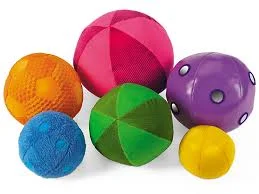
- Bean bags

- Paper balls
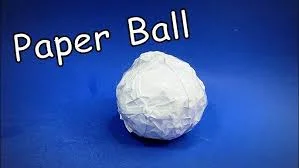
- Balloons

- Foam balls

Never throw:
- Hard objects

- Sharp things

- Things that can break
Throwing Games
Target Practice:
- Throw soft balls into a basket
- Aim at a big circle on the wall
Catch and Throw:
- Throw gently to a friend
- Friend catches and throws back
Class Exercise
- Show me how to hold a ball for throwing.
- Where should we aim when throwing into a basket?
- Practice throwing a soft ball 5 times.
- What should we never throw?
Throwing Practice
Let’s practice together:
- Stand in a line
- Throw soft balls one by one
- Aim at the target
- Take turns throwing and collecting
This term's Basic Technology topics
Basic 1 First Term · 20 topics
- Movement
- Living Things II
- Moving Our Body Parts
- Non-Living Things
- Parts of a Computer
- Movement (Throwing)
- Energy I
- Energy II
- Energy III
- Energy IV
- Keyboards
Get Basic Technology as PDF and Word
Every week of Basic 1 Basic Technology, First Term, formatted and ready to print. Ad-free, and the copy lock comes off.
Get this term Card, bank transfer, USSD or OPay
Basic 1 Basic Technology Lesson Notes for Other Topics
Living Things
Read the full lesson note.
Basic Computer
Read the full lesson note.
Movement
Read the full lesson note.
Living Things II
Read the full lesson note.

Moving our Body Parts
Read the full lesson note.
Non-Living Things
Read the full lesson note.

Parts of a Computer
Read the full lesson note.

Energy I
Read the full lesson note.
Energy II
Read the full lesson note.
Energy III
Read the full lesson note.

Energy IV
Read the full lesson note.

Keyboards
Read the full lesson note.
Sports and Games (Athletics)
Read the full lesson note.
Water
Read the full lesson note.
Athletics (Jumping)
Read the full lesson note.
Lesson Notes for Other Classes
Basic 2 Lesson Note
The complete lesson note to guide your studies.

Basic 3 Lesson Note
The complete lesson note to guide your studies.

Basic 4 Lesson Note
The complete lesson note to guide your studies.
Basic 5 Lesson Note
The complete lesson note to guide your studies.
Basic 6 Lesson Note
The complete lesson note to guide your studies.
