
Difference Between Hardware and Software – Basic 3 Basic Technology Lesson Note (Second Term)
Download this term · ₦1,000Lesson note at a glance
- Subject
- Basic Technology
- Class
- Basic 3
- Term
- Second Term
- Topic
- Difference Between Hardware and Software
- Order
- Topic 8 of 19 this term
- Reading time
- 1 min
What is Hardware?
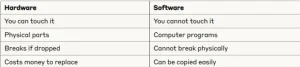
Hardware means computer parts you can touch and see.
Examples of Hardware:
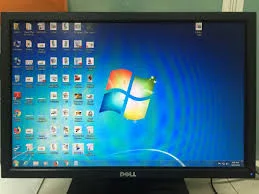
- Monitor – the screen
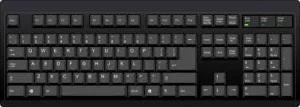
- Keyboard – for typing
- Mouse – for clicking

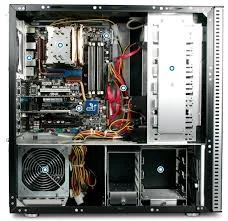
- CPU – the main box
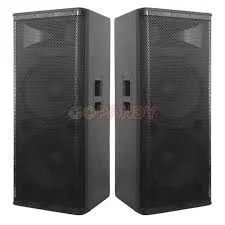
- Speakers – for sound
- Printer – for printing papers

What is Software?
Software means computer programs you cannot touch but can see on screen.
Examples of Software:
- Microsoft Word – for writing
- Games – for playing
- Calculator – for math
- Paint – for drawing
- Music player – for listening to songs
Key Differences
Exercise 2: Sort these items: Monitor, Microsoft Word, Mouse, Calculator, Keyboard, Paint
Hardware: _________________ Software: _________________
This term's Basic Technology topics
Basic 3 Second Term · 19 topics
- Ball Games: Football
- Air in Motion II: Harmful Effects of Wind
- System Application II
- Ball Games: Safety Rules in Football
- Water
- Difference Between Hardware and Software
- Tennis
- Qualities of Water
- Components of CPU
- Water: Purifying Water
- Components of Cpu
Get Basic Technology as PDF and Word
Every week of Basic 3 Basic Technology, Second Term, formatted and ready to print. Ad-free, and the copy lock comes off.
Get this term Card, bank transfer, USSD or OPay
Basic 3 Basic Technology Lesson Notes for Other Topics
Air in Motion I - Wind
Read the full lesson note.

System Applications
Read the full lesson note.

Ball Games - Football
Read the full lesson note.
Air in Motion II - Harmful Effects of Wind
Read the full lesson note.
System Application II
Read the full lesson note.
Ball Games - Safety Rules in Football
Read the full lesson note.
Water
Read the full lesson note.

Tennis
Read the full lesson note.
Qualities of Water
Read the full lesson note.

Components of CPU
Read the full lesson note.
Water - Purifying Water
Read the full lesson note.
Components of Cpu
Read the full lesson note.
Water - Packaged Water
Read the full lesson note.
Ball Games - Basketball
Read the full lesson note.
Soil I - Importance to Plants
Read the full lesson note.
Lesson Notes for Other Classes

Basic 1 Lesson Note
The complete lesson note to guide your studies.

Basic 2 Lesson Note
The complete lesson note to guide your studies.

Basic 4 Lesson Note
The complete lesson note to guide your studies.

Basic 5 Lesson Note
The complete lesson note to guide your studies.
Basic 6 Lesson Note
The complete lesson note to guide your studies.
