Paragraphing and Page Setting – JSS2 Business Studies Lesson Note (Third Term)
Download this term · ₦1,000Lesson note at a glance
- Subject
- Business Studies
- Class
- JSS2
- Term
- Third Term
- Topic
- Paragraphing and Page Setting
- Order
- Topic 4 of 7 this term
- Reading time
- 2 min
A paragraph is a group of sentences that deals with one particular idea. In typing, paragraphs are set out in three styles: blocked, indented and hanging. Page setup covers margins, print quality and page size, and text alignment (left, right, centred or justified) decides how lines sit between the margins.
Behavioural objectives
By the end of the lesson, students should be able to:
- define a paragraph;
- name and describe blocked, indented and hanging paragraphs;
- explain what page setup means;
- describe left, right, centred and justified text alignment.
What is a paragraph?
A paragraph is a part of a document, made up of a group of sentences that deals with a particular idea.
What are the types of paragraphs?
There are three types of paragraphs.
Blocked paragraph
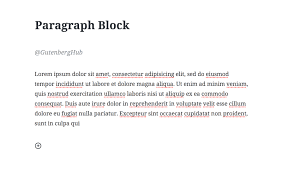
All lines, including the first line of the paragraph, begin from the left margin. Business and official letters use this style.
Indented paragraph
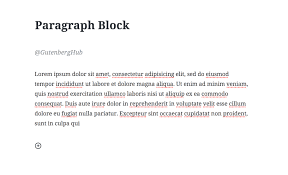
The first line begins five spaces from the left margin on pica type, or six spaces on elite type.

Hanging paragraph
The first line of each paragraph begins three spaces to the left of the lines that follow it. With this method, typing can be done on single-line spacing as well as double-line spacing. Legal matters, poems and drama use this style.
What is page setup?
Page setup means the parameters that a user normally defines to determine how a printed page will appear. These parameters include margins, print quality and size, among others.
What is text alignment?
Text alignment is found in the program’s toolbar. It may be shown as a row of four icons: left-aligned, right-aligned, centred and justified.
Left alignment
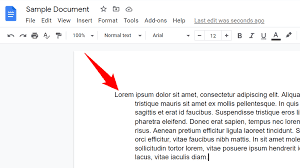
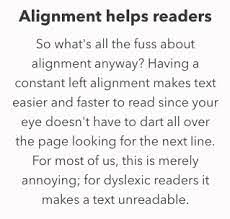
This is also called flush left or left justified. It is used like the blocked style: each line begins along the left margin of the document. A straight margin is formed on the left and an uneven margin on the right.
Right alignment
This is also known as right justified or flush right. Each line of text begins along the right margin of the document, and the text expands to the left of the cursor. If more than one line is typed, the next line also begins along the right margin.
Centred alignment
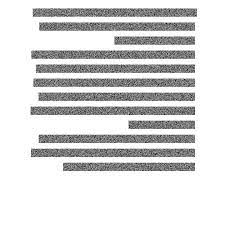
Centred text is placed in the centre of each line. The text expands equally to the left and right, leaving the same amount of space on either side.
Justified alignment
This combines left and right alignment. When a block of text is justified, each line fills the entire space from left to right, so the text occupies 100% of the space.
Evaluation
- What is a paragraph?
- Name the three types of paragraphs and state where each is used.
- What does page setup mean?
- Describe how text looks when it is right aligned and when it is justified.
Assignment
- Write the meaning of a blocked paragraph and an indented paragraph, and state one difference between them.
- List the four text alignment options found in the toolbar and describe each in one sentence.
This term's Business Studies topics
JSS2 Third Term · 7 topics
Get Business Studies as PDF and Word
Every week of JSS2 Business Studies, Third Term, formatted and ready to print. Ad-free, and the copy lock comes off.
Get this term Card, bank transfer, USSD or OPay
Third Term Business Studies Lesson Notes for Other Topics
Alphanumeric Keys
Read the full lesson note.
Parts Of Computer Keyboard
Read the full lesson note.
Basic Service Keys
Read the full lesson note.
Home Row Keys
Read the full lesson note.
Correct Keyboarding Techniques
Read the full lesson note.
Care Of The Computer
Read the full lesson note.
Introduction To Keyboarding
Read the full lesson note.
Double Entry Bookkeeping
Read the full lesson note.
Journal/Day Book
Read the full lesson note.
Source Documents
Read the full lesson note.

Keyboarding
Read the full lesson note.
Types Of Display Headings
Read the full lesson note.
Manuscript
Read the full lesson note.

Erasing Techniques
Read the full lesson note.
Correct Keyboarding Techniques
Read the full lesson note.
Lesson Notes for Other Classes

Basic 1 Lesson Note
The complete lesson note to guide your studies.

Basic 2 Lesson Note
The complete lesson note to guide your studies.

Basic 3 Lesson Note
The complete lesson note to guide your studies.

Basic 4 Lesson Note
The complete lesson note to guide your studies.

Basic 5 Lesson Note
The complete lesson note to guide your studies.

Basic 6 Lesson Note
The complete lesson note to guide your studies.