Water, First Aids and its Uses and Introduction to Computer Coding – Basic 4 Basic Science Lesson Note (First Term)
Download Lesson NoteLesson note at a glance
- Subject
- Basic Science
- Class
- Basic 4
- Term
- First Term
- Topic
- Water, First Aids and its Uses and Introduction to Computer Coding
- Order
- Topic 8 of 8 this term
- Reading time
- 32 min
Topic: water
LEARNING AREA
- Introductory Activities
- Understanding Water and Its Properties
- Differentiating Water from Other Liquids
- Water State Changes
- Evaporation Process and Examples
- Condensation Process and Examples
- Freezing Process and Examples
- Practical Experiments and Observations
PERFORMANCE OBJECTIVES
By the end of the lesson, the pupils should have attained the following objectives (cognitive, affective and psychomotor) and be able to –
- identify water and distinguish it from other liquids.
- list the unique properties of water.
- explain the process of evaporation with examples.
- describe condensation and give real-life examples.
- understand freezing and its effects on water.
- demonstrate simple experiments showing water state changes.
- observe and record water transformations in daily life.
ENTRY BEHAVIOR
The pupils can identify water in their daily life and understand that water is essential for living things.
INSTRUCTIONAL MATERIALS
The teacher will teach the lesson with the aid of:
- Clear containers/glasses
- Water samples
- Other liquid samples (milk, oil, juice)
- Ice cubes
- Hot water/kettle
- Thermometer
- Measuring cups
- Food coloring
- Salt and sugar
- Freezer or ice
- Charts showing water cycle
- Pictures of water in different states
- Magnifying glass
METHOD OF TEACHING
Choose a suitable and appropriate methods for the lessons.
Note – Irrespective of choosing methods of teaching, always introduce an activities that will arouse pupil’s interest or lead them to the lessons.
REFERENCE MATERIALS
- Scheme of Work
- 9 – Years Basic Education Curriculum
- Course Book
- All Relevant Material
- Online Information
CONTENT OF THE LESSON
LESSON 1 – UNDERSTANDING WATER
WHAT IS WATER?
Water is a clear, colorless, odorless, and tasteless liquid that is essential for all life on Earth. It is made up of two hydrogen atoms and one oxygen atom (H₂O).
IMPORTANCE OF WATER:
- All living things need water to survive
- Our bodies are about 60% water
- Used for drinking, cooking, cleaning
- Plants need water to grow
- Animals drink water to stay alive
- Used in industries and agriculture
LESSON 2 – DIFFERENTIATING WATER FROM OTHER LIQUIDS
Water has unique properties that make it different from other liquids we encounter daily.
PROPERTIES OF PURE WATER:
- APPEARANCE
- Colorless: Pure water has no color
- Transparent: You can see through it clearly
- Clear: No cloudiness or particles visible
- TASTE AND SMELL
- Tasteless: Pure water has no taste
- Odorless: Pure water has no smell
- PHYSICAL PROPERTIES
- Liquid at room temperature: Flows freely
- Freezes at 0°C (32°F): Becomes ice
- Boils at 100°C (212°F): Becomes steam
- Neutral pH: Neither acidic nor basic
COMPARING WATER WITH OTHER LIQUIDS:
WATER vs MILK:
- Water: Colorless, transparent, no taste
- Milk: White/cream colored, opaque, sweet taste
- Water: Thin consistency
- Milk: Thicker consistency
WATER vs COOKING OIL:
- Water: Mixes with many substances
- Oil: Does not mix with water (floats on top)
- Water: No greasy feeling
- Oil: Greasy and slippery
WATER vs FRUIT JUICE:
- Water: No color, no taste
- Juice: Colored (orange, red, etc.), sweet/sour taste
- Water: No nutrients visible
- Juice: May have pulp or particles
WATER vs SOFT DRINKS:
- Water: No bubbles, no taste
- Soft drinks: May have bubbles (carbonated), sweet taste
- Water: Natural
- Soft drinks: Artificial flavors and colors
SIMPLE TESTS TO IDENTIFY WATER:
- APPEARANCE TEST:
- Look at the liquid in a clear glass
- Pure water should be completely clear
- No color, particles, or cloudiness
- SMELL TEST:
- Smell the liquid carefully
- Pure water has no odor
- Other liquids have distinct smells
- TASTE TEST (with supervision):
- Pure water has no taste
- Other liquids have sweet, sour, or other flavors
- MIXING TEST:
- Add a drop of food coloring
- Water will mix evenly with coloring
- Oil will not mix with coloring
- FREEZING TEST:
- Put liquid in freezer
- Water freezes to solid ice
- Other liquids may not freeze or freeze differently
LESSON 3 – EVAPORATION
WHAT IS EVAPORATION?
Evaporation is the process where water changes from liquid to gas (water vapor) when heated or exposed to air. This happens when water molecules gain enough energy to escape into the air.
HOW EVAPORATION HAPPENS:
THE PROCESS:
- Water molecules move constantly
- Heat gives molecules more energy
- Fast-moving molecules escape from liquid surface
- These molecules become water vapor (invisible gas)
- Water level decreases over time
CONDITIONS FOR EVAPORATION:
- Heat/Temperature: Higher temperature = faster evaporation
- Air Movement: Wind speeds up evaporation
- Surface Area: Wider containers evaporate faster
- Humidity: Dry air promotes faster evaporation
EXAMPLES OF EVAPORATION:
DAILY LIFE EXAMPLES:
- Wet Clothes Drying: Water evaporates from fabric
- Puddles Disappearing: After rain, puddles dry up
- Cooking: Steam rises from hot soup
- Sweating: Body water evaporates to cool us
- Wet Hair Drying: Water evaporates from hair
- Boiling Water: Rapid evaporation produces steam
NATURAL EXAMPLES:
- Rivers and Lakes: Surface water evaporates
- Ocean Water: Becomes water vapor in atmosphere
- Plant Leaves: Release water vapor (transpiration)
- Morning Dew: Evaporates as sun rises
FACTORS AFFECTING EVAPORATION SPEED:
FASTER EVAPORATION:
- Higher temperature
- More wind/air movement
- Larger surface area
- Lower humidity
- Higher altitude
SLOWER EVAPORATION:
- Lower temperature
- Still air
- Smaller surface area
- Higher humidity
- Sea level
SIMPLE EVAPORATION EXPERIMENTS:
Experiment 1: Different Temperatures
- Put equal water amounts in two containers
- Place one in sun, one in shade
- Observe which evaporates faster
Experiment 2: Surface Area
- Put equal water in wide plate and narrow glass
- Observe which evaporates faster
- Wide plate should evaporate faster
Experiment 3: Air Movement
- Put water container near fan
- Put another container in still air
- Compare evaporation rates
LESSON 4 – CONDENSATION
WHAT IS CONDENSATION?
Condensation is the process where water vapor (gas) changes back into liquid water when it cools down. This is the opposite of evaporation.
HOW CONDENSATION HAPPENS:
THE PROCESS:
- Water vapor in air cools down
- Cool water vapor molecules slow down
- Slow molecules stick together
- Form tiny water droplets
- Droplets collect on surfaces
CONDITIONS FOR CONDENSATION:
- Cooling: Water vapor must cool down
- Surface: Needs something to condense on
- Saturation: Air must be full of water vapor
EXAMPLES OF CONDENSATION:
DAILY LIFE EXAMPLES:
- Cold Drink Glass: Water droplets form on outside
- Bathroom Mirror: Fogs up during hot shower
- Car Windows: Fog forms on cold mornings
- Breath on Cold Day: Visible vapor from mouth
- Cooking Pot Lid: Water droplets form underneath
- Air Conditioner: Water drips from unit
NATURAL EXAMPLES:
- Clouds Formation: Water vapor condenses in sky
- Dew on Grass: Forms on cool morning surfaces
- Fog: Water vapor condenses near ground
- Rain Formation: Condensed water falls as raindrops
WHY CONDENSATION OCCURS:
TEMPERATURE DIFFERENCE:
- Warm water vapor meets cool surface
- Cool surface causes vapor to condense
- Greater temperature difference = more condensation
HUMIDITY LEVELS:
- High humidity = more water vapor in air
- More water vapor = more condensation possible
- Low humidity = less condensation
SIMPLE CONDENSATION EXPERIMENTS:
Experiment 1: Cold Glass
- Fill glass with ice-cold water
- Observe water droplets forming on outside
- Touch droplets to confirm they’re water
Experiment 2: Breath Condensation
- Breathe on cold mirror or window
- Observe fog formation
- Watch fog disappear as it warms
Experiment 3: Pot Lid
- Boil water in pot with lid
- Lift lid carefully (adult supervision)
- Observe water droplets on lid underside
LESSON 5 – FREEZING
WHAT IS FREEZING?
Freezing is the process where liquid water changes into solid ice when its temperature drops to 0°C (32°F) or below.
HOW FREEZING HAPPENS:
THE PROCESS:
- Water temperature drops to 0°C (32°F)
- Water molecules slow down significantly
- Molecules arrange in orderly pattern
- Water becomes solid (ice)
- Ice is hard and rigid
FREEZING POINT:
- Pure water freezes at exactly 0°C (32°F)
- Salt water freezes at lower temperature
- Sugar water also affects freezing point
WHAT HAPPENS WHEN WATER FREEZES:
PHYSICAL CHANGES:
- State Change: Liquid becomes solid
- Volume Increase: Ice takes up more space than water
- Shape: Takes shape of container
- Hardness: Becomes hard and rigid
- Temperature: Stays at 0°C during freezing
IMPORTANT PROPERTY:
- Water expands when it freezes
- This can break containers (pipes, bottles)
- Ice floats on water because it’s less dense
EXAMPLES OF FREEZING:
DAILY LIFE EXAMPLES:
- Ice Cubes: Water frozen in freezer
- Ice Cream: Contains frozen water
- Frozen Foods: Water in food becomes ice
- Ice Pops: Flavored water frozen on stick
- Frost: Water vapor freezes directly on surfaces
NATURAL EXAMPLES:
- Lakes and Rivers: Freeze in cold weather
- Icicles: Water drips and freezes hanging
- Snow: Frozen water vapor in clouds
- Hail: Frozen raindrops
- Frost on Windows: Direct vapor to ice
USES OF FROZEN WATER (ICE):
PRACTICAL USES:
- Food Preservation: Keeps food fresh longer
- Cooling Drinks: Makes beverages cold
- Medical Uses: Ice packs for injuries
- Recreation: Ice skating, ice sculptures
- Transportation: Ice roads in Arctic regions
SIMPLE FREEZING EXPERIMENTS:
Experiment 1: Basic Freezing
- Fill ice cube tray with water
- Put in freezer for 2-4 hours
- Observe solid ice formation
Experiment 2: Expansion Test
- Fill plastic bottle completely with water
- Put in freezer overnight
- Observe how bottle expands or cracks
Experiment 3: Melting and Refreezing
- Take ice cubes out of freezer
- Watch them melt at room temperature
- Put liquid water back in freezer
- Observe refreezing process
LESSON 6 – THE WATER CYCLE CONNECTION
All three processes (evaporation, condensation, freezing) work together in nature:
WATER CYCLE STAGES:
- EVAPORATION:
- Sun heats ocean, lake, and river water
- Water vapor rises into atmosphere
- CONDENSATION:
- Water vapor cools in upper atmosphere
- Forms clouds and water droplets
- PRECIPITATION:
- Condensed water falls as rain
- In cold weather, may freeze and fall as snow
- COLLECTION:
- Water returns to rivers, lakes, oceans
- Cycle begins again
SEASONAL CHANGES:
SUMMER:
- More evaporation due to heat
- Less freezing except in refrigerators
- More condensation on cold drinks
WINTER:
- Less evaporation due to cold
- More freezing (ice, snow, frost)
- More condensation indoors (heating systems)
PRESENTATION
To deliver the lesson, the teacher adopts the following steps:
- To introduce the lesson, the teacher asks pupils about water they use daily. Based on this, he/she guides discussion about water properties;
- Shows different liquids and helps pupils identify differences between water and other liquids;
Pupil’s Activities – Compare water with milk, juice, and oil using sight, smell, and other safe tests.
- Demonstrates evaporation using hot water and explains the process;
Pupil’s Activities – Observe steam rising from hot water and discuss what happens to wet surfaces in sun.
- Shows condensation using cold glass and explains how water vapor becomes liquid;
Pupil’s Activities – Breathe on mirrors or cold surfaces and observe water droplet formation.
- Demonstrates freezing using ice cubes and explains the process;
Pupil’s Activities – Handle ice cubes safely and observe how they melt and can be refrozen.
- Connects all three processes to real-life examples and natural water cycle;
Pupil’s Activities – Give examples of evaporation, condensation, and freezing they see at home.
- Summary the lesson on the board.
Pupil’s Activities – Copy as the teacher writes.
CONCLUSION
To conclude the lesson for the week, the teacher revises all water processes and links them to the following week’s lesson on water conservation and uses.
LESSON EVALUATION/ASSIGNMENT
Ask pupils to:
- List five ways to identify pure water from other liquids
- Give three examples each of evaporation, condensation, and freezing
- Observe and record one example of each process at home
- Explain why puddles disappear after rain
- Describe what happens when you put water in the freezer
WORKBOOK
WEEKLY ASSESSMENT (TEST)
- Pure water is _______ and has no taste. A. Colored B. Colorless
- Water freezes at _______ degrees Celsius. A. 0 B. 100
- When water changes from liquid to gas, it is called _______. A. Evaporation B. Condensation
- When water vapor changes back to liquid, it is called _______. A. Evaporation B. Condensation
- Ice takes up _______ space than liquid water. A. More B. Less
- Water boils at _______ degrees Celsius. A. 0 B. 100
- _______ on a cold glass is an example of condensation. A. Water droplets B. Ice crystals
- Clothes dry because water _______. A. Evaporates B. Freezes
- When water freezes, it becomes _______. A. Gas B. Solid
- List three properties that help identify pure water: a. _________________ b. _________________ c. _________________
Topic: first aid and its uses
LEARNING AREA
- Introductory Activities
- Understanding First Aid and Its Importance
- Contents of First Aid Box
- Grouping the Contents of First Aid Box
- Components of First Aid Box
- Water in First Aid
- Medication in First Aid
- Food in First Aid
- Practical First Aid Box Assembly
PERFORMANCE OBJECTIVES
By the end of the lesson, the pupils should have attained the following objectives (cognitive, affective and psychomotor) and be able to –
- define first aid and explain its importance.
- identify contents of a standard first aid box.
- group first aid box contents into appropriate categories.
- explain the components of a complete first aid box.
- understand the role of water in first aid treatment.
- identify appropriate medications for first aid use.
- recognize suitable food items for first aid situations.
- assemble a basic first aid box correctly.
ENTRY BEHAVIOR
The pupils understand basic safety concepts and can identify common household items used for treating minor injuries.
INSTRUCTIONAL MATERIALS
The teacher will teach the lesson with the aid of:
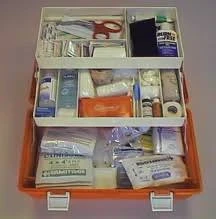
- Sample first aid box/kit
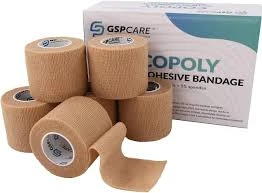
- Bandages (various sizes)
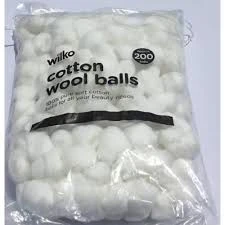
- Cotton wool/cotton balls
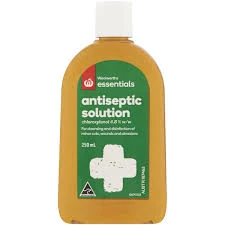
- Antiseptic solution
- Thermometer

- Scissors (child-safe)

- Adhesive tape

- Plasters/band-aids
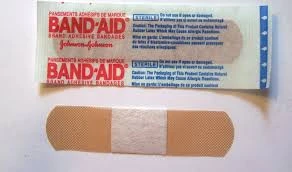
- Pain relief medication (paracetamol – for display only)
- Bottled water
- Glucose tablets/sweets
- Charts showing first aid contents
- Pictures of first aid items
- Empty boxes for sorting activities
METHOD OF TEACHING
Choose a suitable and appropriate methods for the lessons.
Note – Irrespective of choosing methods of teaching, always introduce an activities that will arouse pupil’s interest or lead them to the lessons.
REFERENCE MATERIALS
- Scheme of Work
- 9 – Years Basic Education Curriculum
- Course Book
- First Aid Manual
- All Relevant Material
- Online Information
CONTENT OF THE LESSON
LESSON 1 – UNDERSTANDING FIRST AID
WHAT IS FIRST AID?
First aid is the immediate care and treatment given to a person who is injured or suddenly becomes ill before professional medical help arrives. It involves simple, life-saving techniques that anyone can learn and perform.
IMPORTANCE OF FIRST AID:
- Saves Lives: Quick action can prevent serious complications
- Reduces Pain: Immediate treatment lessens suffering
- Prevents Further Injury: Proper care stops conditions from worsening
- Promotes Recovery: Early treatment speeds up healing
- Provides Comfort: Helps injured person feel cared for
- Buys Time: Keeps person stable until medical help arrives
BASIC PRINCIPLES OF FIRST AID:
- Preserve Life: Keep the person alive
- Prevent Deterioration: Stop condition from getting worse
- Promote Recovery: Help healing process begin
LESSON 2 – CONTENTS OF FIRST AID BOX
A first aid box is a container that holds essential supplies needed to provide immediate medical care for injuries and emergencies.
ESSENTIAL CONTENTS OF A FIRST AID BOX:
- BANDAGES AND DRESSINGS
- Triangular Bandages: For slings and large wound coverage
- Roller Bandages: Various sizes for wrapping injuries
- Adhesive Bandages (Plasters): For small cuts and scrapes
- Sterile Gauze Pads: For covering wounds
- Elastic Bandages: For sprains and joint support
- CLEANING AND ANTISEPTIC SUPPLIES
- Antiseptic Solution: For cleaning wounds (e.g., Dettol, iodine)
- Cotton Wool/Cotton Balls: For cleaning and applying antiseptic
- Alcohol Wipes: For sanitizing and cleaning
- Sterile Saline Solution: For washing wounds and eyes
- TOOLS AND INSTRUMENTS
- Scissors: For cutting bandages and tape
- Tweezers: For removing splinters and debris
- Thermometer: For checking body temperature
- Disposable Gloves: For protection during treatment
- Safety Pins: For securing bandages
- ADHESIVE MATERIALS
- Medical Tape: For securing dressings
- Adhesive Plasters: Various sizes for cuts
- Zinc Oxide Tape: Strong tape for secure binding
- MEDICATIONS (Basic)
- Paracetamol: For pain relief and fever reduction
- Antihistamine: For allergic reactions
- Oral Rehydration Salts: For dehydration
- Antiseptic Cream: For minor cuts and burns
- EMERGENCY SUPPLIES
- Emergency Contact Numbers: Important phone numbers
- First Aid Manual: Step-by-step instructions
- Emergency Blanket: For shock and warmth
- Flashlight: For examining injuries in poor light
LESSON 3 – GROUPING THE CONTENTS OF FIRST AID BOX
First aid box contents can be organized into logical groups for easy access and use:
GROUP 1: WOUND CARE SUPPLIES
Purpose: For treating cuts, scrapes, and open wounds
Items Include:
- Sterile gauze pads
- Adhesive bandages (plasters)
- Triangular bandages
- Roller bandages
- Antiseptic solution
- Cotton wool
- Medical tape
Uses:
- Covering and protecting wounds
- Stopping bleeding
- Preventing infection
- Securing dressings
GROUP 2: CLEANING AND SANITIZING SUPPLIES
Purpose: For cleaning wounds and maintaining hygiene
Items Include:
- Antiseptic wipes
- Alcohol-based sanitizer
- Sterile saline solution
- Cotton balls
- Disposable gloves
Uses:
- Cleaning wounds before treatment
- Preventing infection
- Maintaining clean conditions
- Protecting first aider from contamination
GROUP 3: TOOLS AND EQUIPMENT
Purpose: For examination and treatment procedures
Items Include:
- Scissors
- Tweezers
- Thermometer
- Flashlight
- Safety pins
Uses:
- Cutting bandages and tape
- Removing foreign objects
- Checking vital signs
- Examining injuries
- Securing dressings
GROUP 4: MEDICATIONS AND TREATMENTS
Purpose: For pain relief and basic medical treatment
Items Include:
- Paracetamol tablets
- Antihistamine
- Antiseptic cream
- Oral rehydration salts
Uses:
- Pain management
- Fever reduction
- Allergic reaction treatment
- Preventing dehydration
GROUP 5: EMERGENCY SUPPORT SUPPLIES
Purpose: For emergency situations and comfort
Items Include:
- Emergency blanket
- Emergency contact numbers
- First aid manual
- Instant cold pack
Uses:
- Treating shock
- Providing warmth
- Getting emergency help
- Reducing swelling
LESSON 4 – COMPONENTS OF FIRST AID BOX
BASIC COMPONENTS (ESSENTIAL)
Minimum Requirements for Any First Aid Box:
- Adhesive Bandages: Various sizes (at least 10 pieces)
- Sterile Gauze Pads: 2×2 inch and 4×4 inch sizes
- Medical Tape: 1 roll
- Antiseptic Wipes: Pack of 10
- Disposable Gloves: 2 pairs
- Scissors: 1 pair
- Thermometer: 1 digital thermometer
- Emergency Contact List: Laminated card
STANDARD COMPONENTS (RECOMMENDED)
For Home, School, or Workplace:
- All basic components plus:
- Triangular bandages (2)
- Roller bandages (2 different sizes)
- Cotton wool (1 pack)
- Tweezers (1 pair)
- Safety pins (6 pieces)
- Instant cold pack (2)
- Emergency blanket (1)
- First aid manual (1)
ADVANCED COMPONENTS (COMPREHENSIVE)
For Vehicles, Camping, or Remote Areas:
- All standard components plus:
- Elastic bandages
- Splinter forceps
- Emergency whistle
- Waterproof matches
- Emergency food supplies
- Water purification tablets
- Additional medications
LESSON 5 – WATER IN FIRST AID
Water plays a crucial role in first aid treatment and should be included in comprehensive first aid preparations.
TYPES OF WATER FOR FIRST AID:
- STERILE WATER
- Use: Cleaning deep wounds and eyes
- Source: Commercially bottled sterile water
- Storage: Sealed containers, replace regularly
- CLEAN DRINKING WATER
- Use: Drinking, mixing medications, general cleaning
- Source: Bottled water or filtered tap water
- Storage: Sealed bottles, check expiration dates
- SALINE SOLUTION
- Use: Eye irrigation, wound cleaning
- Source: Commercial saline or salt-water mixture
- Preparation: 1 teaspoon salt in 1 cup boiled water (cooled)
USES OF WATER IN FIRST AID:
WOUND CLEANING:
- Flush out dirt and debris
- Reduce risk of infection
- Prepare wound for dressing
- Clean around wound edges
EYE IRRIGATION:
- Remove foreign objects from eyes
- Flush out chemicals or irritants
- Treat eye injuries
- Provide relief from eye pain
DEHYDRATION TREATMENT:
- Replace lost body fluids
- Mix with oral rehydration salts
- Help prevent shock
- Support recovery process
GENERAL HYGIENE:
- Wash hands before treatment
- Clean first aid tools
- Maintain sanitary conditions
- Prevent cross-contamination
WATER STORAGE IN FIRST AID BOX:
Container Requirements:
- Sealed, sterile containers
- Clearly labeled with contents and date
- Easy-to-open caps
- Appropriate size for first aid box
Replacement Schedule:
- Check expiration dates regularly
- Replace every 6 months minimum
- Replace immediately if container is damaged
- Store in cool, dry place
LESSON 6 – MEDICATION IN FIRST AID
Medications in first aid boxes should be basic, safe, and appropriate for emergency use.
ESSENTIAL MEDICATIONS:
- PARACETAMOL (ACETAMINOPHEN)
Uses:
- Pain relief (headaches, minor injuries)
- Fever reduction
- General discomfort
Dosage Guidelines:
- Follow package instructions
- Age-appropriate dosing
- Never exceed recommended dose
- Check for allergies first
Storage:
- Keep in original packaging
- Check expiration dates
- Store in dry conditions
- Keep away from children
- ANTIHISTAMINE
Uses:
- Allergic reactions
- Insect bites and stings
- Skin rashes
- Hay fever symptoms
Types:
- Tablets or liquid form
- Age-appropriate formulations
- Non-drowsy varieties preferred
- ANTISEPTIC CREAM/OINTMENT
Uses:
- Minor cuts and scrapes
- Preventing infection
- Treating small burns
- Skin irritations
Application:
- Clean wound first
- Apply thin layer
- Cover with dressing if needed
- Reapply as directed
- ORAL REHYDRATION SALTS (ORS)
Uses:
- Dehydration from vomiting/diarrhea
- Heat exhaustion
- Excessive sweating
- Fluid loss
Preparation:
- Mix with clean water as directed
- Ensure proper dilution
- Give small, frequent sips
- Monitor patient response
MEDICATION SAFETY GUIDELINES:
Storage Requirements:
- Original containers only
- Clear labeling with expiration dates
- Dry, cool storage conditions
- Child-resistant containers
Usage Precautions:
- Check allergies before giving
- Follow age-appropriate dosing
- Read instructions carefully
- Never use expired medications
Adult Supervision:
- Children should never handle medications alone
- Adult must administer all medications
- Keep records of what was given
- Seek professional help if unsure
LESSON 7 – FOOD IN FIRST AID
Certain food items can be useful in first aid situations, particularly for blood sugar management and energy provision.
APPROPRIATE FOOD ITEMS:
- GLUCOSE TABLETS/SWEETS
Uses:
- Low blood sugar (hypoglycemia)
- Energy boost during weakness
- Diabetic emergencies
- Recovery from fainting
Storage:
- Wrapped individually
- Long shelf life
- Easy to carry
- Quick to consume
- CRACKERS OR DRY BISCUITS
Uses:
- Nausea and vomiting
- Empty stomach medication
- Settling upset stomach
- Providing carbohydrates
Requirements:
- Individually wrapped
- Long shelf life
- Easy to digest
- Non-allergenic varieties
- ENERGY BARS
Uses:
- Extended emergency situations
- Maintaining energy levels
- When regular meals unavailable
- Supporting recovery
Selection Criteria:
- High energy content
- Long shelf life
- Compact size
- Non-melting varieties
FOOD SAFETY IN FIRST AID:
Storage Considerations:
- Check expiration dates regularly
- Store in cool, dry conditions
- Protect from moisture and pests
- Replace regularly
Allergy Awareness:
- Avoid common allergens (nuts, chocolate)
- Choose plain, simple foods
- Check ingredients carefully
- Have alternatives available
Usage Guidelines:
- Only for conscious patients
- Check for swallowing difficulties
- Give small amounts initially
- Monitor patient response
FOODS TO AVOID IN FIRST AID BOXES:
Inappropriate Items:
- Chocolate (melts easily)
- Nuts (allergy risk)
- Dairy products (spoilage risk)
- Complex foods (digestion issues)
- Highly salted items (dehydration risk)
LESSON 8 – ASSEMBLING A FIRST AID BOX
CONTAINER SELECTION:
Ideal First Aid Box Characteristics:
- Waterproof or water-resistant
- Easy to carry handle
- Clear identification/labeling
- Multiple compartments
- Secure closure
- Appropriate size for location
Size Guidelines:
- Home: Medium box (30cm x 20cm x 10cm)
- Car: Compact box (25cm x 15cm x 8cm)
- Classroom: Large box (40cm x 30cm x 15cm)
- Personal: Small pouch (15cm x 10cm x 5cm)
ORGANIZATION TIPS:
Compartment System:
- Group similar items together
- Label compartments clearly
- Keep frequently used items accessible
- Store fragile items safely
Inventory Management:
- Create contents checklist
- Check supplies monthly
- Replace used or expired items
- Update emergency contact numbers
Accessibility:
- Store in known, accessible location
- Ensure multiple people know location
- Keep key items in easy reach
- Consider special needs accessibility
PRESENTATION
To deliver the lesson, the teacher adopts the following steps:
- To introduce the lesson, the teacher asks pupils about times when they or someone they know got hurt. Based on this, he/she discusses what was done to help;
- Explains what first aid is and shows a sample first aid box;
Pupil’s Activities – Examine the first aid box and identify items they recognize.
- Demonstrates the contents of a first aid box, explaining each item’s purpose;
Pupil’s Activities – Handle appropriate items safely and practice identifying their uses.
- Guides pupils in grouping first aid items into logical categories;
Pupil’s Activities – Sort first aid items into groups (wound care, cleaning, tools, etc.).
- Explains the role of water, medication, and food in first aid;
Pupil’s Activities – Discuss situations where water, medication, or food might be needed in emergencies.
- Demonstrates proper organization and storage of first aid supplies;
Pupil’s Activities – Help organize a classroom first aid box using proper grouping methods.
- Discusses safety rules for handling first aid materials;
Pupil’s Activities – Practice safe handling of first aid items and recite safety rules.
- Summary the lesson on the board.
Pupil’s Activities – Copy as the teacher writes.
CONCLUSION
To conclude the lesson for the week, the teacher revises all first aid box components and links them to the following week’s lesson on basic first aid procedures.
LESSON EVALUATION/ASSIGNMENT
Ask pupils to:
- List 10 essential items for a first aid box
- Group first aid items into 5 main categories
- Explain why water is important in first aid
- Name 3 appropriate medications for first aid use
- Design a simple first aid box for their home
WORKBOOK
WEEKLY ASSESSMENT (TEST)
- First aid is _______ care given before professional help arrives. A. Delayed B. Immediate
- A first aid box should contain _______ for cleaning wounds. A. Antiseptic solution B. Cooking oil
- _______ are used to remove splinters from skin. A. Tweezers B. Spoons
- Water in first aid is used for _______ wounds. A. Covering B. Cleaning
- _______ is a common pain relief medication in first aid boxes. A. Paracetamol B. Vitamin C
- Glucose tablets are used to treat _______. A. High blood pressure B. Low blood sugar
- First aid box contents should be grouped for _______. A. Easy access B. Decoration
- _______ should be checked regularly in first aid boxes. A. Color B. Expiration dates
- Bandages are used to _______ wounds. A. Cover and protect B. Make bigger
- List five groups of first aid box contents: a. _________________ b. _________________ c. _________________ d. _________________ e. _________________
Topic: introduction to computer coding/programming
LEARNING AREA
- Introductory Activities
- Understanding Computer Programming Concepts
- What is a Program?
- What is Programming?
- Who is a Programmer?
- Types of Programming Languages
- Simple Programming Examples
- Programming in Daily Life
- Lesson Evaluation and Weekly Assessment (Test)
PERFORMANCE OBJECTIVES
By the end of this Module, Pupils should be able to:
- Define a computer program and explain its purpose.
- Explain what programming means and its importance.
- Identify who a programmer is and their role.
- Distinguish between different types of programming languages.
- Give examples of programs they use daily.
- Understand the basic steps involved in creating a program.
- Appreciate the importance of programming in modern life.
TEACHING AND LEARNING MATERIALS
- Computer system/Laptop
- Examples of software programs (games, apps, websites)
- Visual programming tools (Scratch Jr. or similar)
- Charts showing programming concepts
- Pictures of famous programmers
- Examples of code (simple, age-appropriate)
- Smartphone/tablet with apps
- Projector/Interactive whiteboard
- Printed handouts with programming examples
TEACHING AND LEARNING METHOD
- Explanation
- Demonstration
- Discussion
- Interactive examples
- Questions and Answers
- Simple hands-on activities
REFERENCE MATERIALS
- Universal Basic Education Curriculum.
- NERDC Basic Education Curriculum for primary schools.
- Lagos State Scheme of work
- Unified Schemes of Work Primary Schools for Computer Studies (MIDDLE BASIC)
- Internet Materials.
- Introduction to Programming for Kids resources.
ENTRY BEHAVIOUR/ PREVIOUS LESSON
The students are familiar with using computers, basic software applications, and understand that computers follow instructions to perform tasks.
WORD FILE
Program, programming, programmer, code, software, instructions, algorithm, language.
CONTENT
Understanding Computer Programming
Computer programming is the process of creating instructions that tell a computer what to do. It’s like giving directions to someone who follows them exactly as written.
Just as we use language to communicate with people, we use programming languages to communicate with computers.
LESSON 1 – WHAT IS A PROGRAM?
DEFINITION OF A PROGRAM:
A computer program is a set of step-by-step instructions written in a special language that tells a computer exactly what to do to complete a specific task.
KEY CHARACTERISTICS OF A PROGRAM:
- Step-by-step Instructions: Like a recipe that must be followed in order
- Written in Special Language: Uses programming languages computers understand
- Specific Purpose: Designed to accomplish particular tasks
- Follows Logic: Uses logical thinking and problem-solving
- Can be Repeated: Same instructions can be used many times
ANALOGY: PROGRAM AS A RECIPE
Cooking Recipe:
- Take 2 cups of flour
- Add 1 cup of water
- Mix for 5 minutes
- Bake for 30 minutes
Computer Program:
- Display “Hello” on screen
- Ask user for their name
- Store the name
- Display “Nice to meet you, [name]”
EXAMPLES OF COMPUTER PROGRAMS:
GAMES:
- Candy Crush: Program that creates colorful game with rules
- Snake Game: Instructions for moving snake and eating food
- Puzzle Games: Logic for solving puzzles and keeping score
APPLICATIONS:
- Calculator: Program that performs mathematical operations
- Paint Program: Instructions for drawing and coloring
- Music Player: Code that plays songs and controls volume
WEBSITES:
- Google: Search program that finds information
- YouTube: Program that plays videos
- Educational Websites: Interactive learning programs
MOBILE APPS:
- WhatsApp: Program for sending messages
- Camera App: Instructions for taking and storing photos
- Weather App: Code that shows weather information
HOW PROGRAMS WORK:
INPUT → PROCESSING → OUTPUT
Example 1: Calculator Program
- Input: Numbers and operation (+, -, ×, ÷)
- Processing: Program performs calculation
- Output: Displays the answer
Example 2: Game Program
- Input: Player presses arrow keys
- Processing: Program moves character on screen
- Output: Character moves in correct direction
TYPES OF PROGRAMS:
- SYSTEM PROGRAMS:
- Operating systems (Windows, Android)
- Programs that run the computer itself
- APPLICATION PROGRAMS:
- Games, calculators, word processors
- Programs that help users do specific tasks
- WEB PROGRAMS:
- Websites and online applications
- Programs that run on the internet
LESSON 2 – WHAT IS PROGRAMMING?
DEFINITION OF PROGRAMMING:
Programming is the process of creating computer programs. It involves writing step-by-step instructions in a special language that computers can understand and follow.
KEY ASPECTS OF PROGRAMMING:
- PROBLEM SOLVING
- Identify what problem needs to be solved
- Break big problems into smaller parts
- Think logically about solutions
- Plan step-by-step approach
Example Problem: Create a program to add two numbers
- Step 1: Ask user for first number
- Step 2: Ask user for second number
- Step 3: Add the two numbers together
- Step 4: Show the result
- WRITING CODE
- Use programming language to write instructions
- Follow specific rules and grammar (syntax)
- Write clear, understandable commands
- Test that code works correctly
Simple Example Code (in English-like form):
START
DISPLAY “What is your name?”
GET name FROM user
DISPLAY “Hello, ” + name + “!”
END
- TESTING AND DEBUGGING
- Run the program to see if it works
- Find and fix errors (called “bugs”)
- Make sure program does what it’s supposed to do
- Improve the program to work better
- LOGICAL THINKING
Programming requires thinking in a logical, step-by-step way:
Example: Teaching someone to brush teeth
- Pick up toothbrush
- Put toothpaste on brush
- Put brush in mouth
- Move brush up and down on teeth
- Rinse mouth with water
- Put toothbrush away
This same logical thinking is used in programming!
PROGRAMMING PROCESS:
STEP 1: PLANNING
- Understand the problem
- Plan the solution
- Draw diagrams if helpful
- Think about what the program should do
STEP 2: WRITING
- Choose programming language
- Write the code step by step
- Follow language rules carefully
- Add comments to explain code
STEP 3: TESTING
- Run the program
- Check if it works correctly
- Test with different inputs
- Fix any problems found
STEP 4: IMPROVING
- Make program work better
- Add new features
- Make it easier to use
- Share with others
WHY IS PROGRAMMING IMPORTANT?
- CREATES USEFUL TOOLS:
- Apps that help in daily life
- Games for entertainment
- Educational software for learning
- SOLVES PROBLEMS:
- Automates boring tasks
- Makes complex calculations easy
- Connects people around the world
- DEVELOPS THINKING SKILLS:
- Logical reasoning
- Problem-solving abilities
- Creative thinking
- Attention to detail
- FUTURE OPPORTUNITIES:
- Many jobs need programming skills
- Technology is everywhere
- Can create own projects and inventions
LESSON 3 – WHO IS A PROGRAMMER?
DEFINITION OF A PROGRAMMER:
A programmer (also called a coder or software developer) is a person who writes computer programs. They are like digital architects who design and build software that people use every day.
WHAT PROGRAMMERS DO:
PRIMARY RESPONSIBILITIES:
- Write Code: Create instructions for computers using programming languages
- Solve Problems: Figure out how to make computers do useful things
- Test Programs: Make sure their code works correctly
- Fix Bugs: Find and correct errors in programs
- Design Solutions: Plan how programs should work
- Collaborate: Work with teams to build large projects
TYPES OF PROGRAMMERS:
- WEB PROGRAMMERS
- Create websites and web applications
- Make online stores, social media sites
- Examples: Facebook, Google, online games
- MOBILE APP PROGRAMMERS
- Create apps for phones and tablets
- Design games and useful applications
- Examples: WhatsApp, Instagram, mobile games
- GAME PROGRAMMERS
- Create video games for computers and consoles
- Design game rules, graphics, and interactions
- Examples: Minecraft, FIFA, mobile puzzle games
- SOFTWARE PROGRAMMERS
- Create computer programs for desktop computers
- Build tools like word processors, calculators
- Examples: Microsoft Word, photo editors
- SYSTEM PROGRAMMERS
- Work on operating systems and computer infrastructure
- Create programs that help computers run
- Examples: Windows, Android operating systems
SKILLS PROGRAMMERS NEED:
TECHNICAL SKILLS:
- Programming Languages: Know how to write code
- Problem Solving: Break complex problems into simple steps
- Logical Thinking: Think in clear, step-by-step manner
- Attention to Detail: Small mistakes can break programs
- Testing: Check that programs work correctly
SOFT SKILLS:
- Patience: Programming can take time to get right
- Creativity: Think of new and innovative solutions
- Communication: Explain ideas to team members
- Continuous Learning: Technology changes constantly
- Persistence: Keep trying when facing difficult problems
FAMOUS PROGRAMMERS (Examples for inspiration):
- BILL GATES
- Co-founder of Microsoft
- Helped create Windows operating system
- Started programming as a teenager
- MARK ZUCKERBERG
- Created Facebook while in college
- Started programming in elementary school
- Built one of world’s largest social networks
- ADA LOVELACE
- First computer programmer in history
- Wrote first computer algorithm
- Showed that women can excel in programming
HOW TO BECOME A PROGRAMMER:
FOR KIDS (Starting Now):
- Learn Logical Thinking: Practice solving puzzles and problems
- Try Visual Programming: Use tools like Scratch Jr.
- Play Programming Games: Games that teach coding concepts
- Ask Questions: Be curious about how things work
- Practice Problem Solving: Break big problems into small parts
EDUCATIONAL PATH:
- Elementary: Learn basic computer skills and logical thinking
- Secondary: Take computer science and mathematics courses
- University: Study computer science or related field
- Continuous Learning: Technology always changes, keep learning
DIFFERENT WORK ENVIRONMENTS:
WHERE PROGRAMMERS WORK:
- Technology Companies: Google, Microsoft, Apple
- Game Studios: Companies that make video games
- Banks and Finance: Programs for money management
- Healthcare: Software for hospitals and medical records
- Education: Educational apps and learning platforms
- Government: Systems for public services
- Freelance: Work independently on various projects
DAILY LIFE OF A PROGRAMMER:
TYPICAL DAY ACTIVITIES:
- Morning: Check emails, plan day’s coding tasks
- Mid-morning: Write new code or fix existing programs
- Lunch: Often eat with team members, discuss projects
- Afternoon: Test programs, attend team meetings
- Evening: Document work, plan tomorrow’s tasks
TOOLS PROGRAMMERS USE:
- Code Editors: Special programs for writing code
- Computers: Powerful machines for running programs
- Testing Tools: Software to check if programs work
- Collaboration Tools: Ways to work with team members
- Learning Resources: Books, websites, online courses
LESSON 4 – TYPES OF PROGRAMMING LANGUAGES
Programming languages are like different human languages – each has its own rules and is good for different purposes.
WHAT ARE PROGRAMMING LANGUAGES?
Programming languages are special languages designed for writing instructions that computers can understand. Just like people speak different languages (English, French, Spanish), programmers use different programming languages.
BEGINNER-FRIENDLY LANGUAGES:
- SCRATCH
- Visual Programming: Uses colorful blocks instead of text
- Drag and Drop: Snap pieces together like building blocks
- Perfect for Kids: Designed specifically for young learners
- Creates: Games, animations, interactive stories
Example Scratch Concept:
- Drag “move 10 steps” block
- Attach “turn 15 degrees” block
- Character moves and turns on screen
- PYTHON
- Easy to Read: Uses simple English-like words
- Beginner Friendly: Good first text-based language
- Versatile: Can create games, websites, programs
- Popular: Used by many companies and schools
Simple Python Example (concept):
print(“Hello, World!”)
name = input(“What is your name?”)
print(“Nice to meet you, ” + name + “!”)
OTHER POPULAR LANGUAGES:
- JAVA
- Widely Used: Many websites and apps use Java
- Cross-Platform: Works on different types of computers
- Used For: Mobile apps, large business programs
- JAVASCRIPT
- Web Programming: Makes websites interactive
- In Every Browser: All web browsers understand JavaScript
- Used For: Interactive websites, web games
- C++
- Powerful: Can create very fast programs
- Complex: More difficult for beginners
- Used For: Video games, operating systems
CHOOSING THE RIGHT LANGUAGE:
FOR BEGINNERS:
- Start with Scratch for visual learning
- Move to Python for first text-based programming
- Focus on learning concepts, not memorizing languages
DIFFERENT LANGUAGES FOR DIFFERENT JOBS:
- Web Development: JavaScript, HTML, CSS
- Mobile Apps: Java (Android), Swift (iPhone)
- Games: C++, C#, Python
- Data Science: Python, R
LESSON 5 – PROGRAMMING IN DAILY LIFE
Programming is everywhere around us, even when we don’t realize it!
PROGRAMS WE USE EVERY DAY:
AT HOME:
- Microwave: Programs for different cooking times
- Washing Machine: Programs for different fabric types
- Television: Programs for channels and smart TV features
- Digital Clocks: Programs that keep accurate time
AT SCHOOL:
- Interactive Whiteboards: Programs for educational content
- Computer Lab Software: Educational games and applications
- School Management Systems: Programs for grades and attendance
- Online Learning Platforms: Educational websites and apps
ON MOBILE DEVICES:
- Games: All mobile games are programs
- Calculator: Program for mathematical operations
- Camera: Program for taking and editing photos
- Messaging Apps: Programs for sending texts and calls
ON THE INTERNET:
- Search Engines: Programs that find information
- Social Media: Programs for connecting with friends
- Online Shopping: Programs for buying and selling
- Video Streaming: Programs that play movies and shows
HOW PROGRAMMING HELPS US:
- MAKES LIFE EASIER:
- Automatic lights that turn on when we enter rooms
- GPS programs that give directions
- Online banking programs for managing money
- PROVIDES ENTERTAINMENT:
- Video games for fun
- Streaming services for movies and music
- Interactive educational games
- HELPS WITH LEARNING:
- Educational apps that make learning fun
- Online courses accessible from anywhere
- Interactive simulations for science experiments
- CONNECTS PEOPLE:
- Video calling programs to talk with family
- Social media to share experiences
- Collaborative tools for working together
LESSON 6 – SIMPLE PROGRAMMING CONCEPTS
BASIC PROGRAMMING IDEAS:
- SEQUENCE
- Instructions happen one after another
- Order matters!
- Like following a recipe step by step
Example Sequence:
- Turn on computer
- Open program
- Type message
- Send message
- SELECTION (IF-THEN)
- Programs can make choices
- IF something is true, THEN do this action
- Like making decisions based on conditions
Example Selection:
- IF it’s raining, THEN take umbrella
- IF homework is done, THEN play games
- REPETITION (LOOPS)
- Doing the same thing many times
- Instead of writing same instruction repeatedly
- Like doing jumping jacks 10 times
Example Repetition:
- REPEAT 5 times: clap hands
- WHILE hungry: eat food
ALGORITHM THINKING:
What is an Algorithm? An algorithm is a step-by-step plan for solving a problem.
Example Algorithm: Getting Ready for School
- Wake up
- Brush teeth
- Take shower
- Get dressed
- Eat breakfast
- Pack school bag
- Go to school
Programming is writing algorithms that computers can follow!
PRESENTATION
- The Teacher revises the previous lesson (BASIC COMPUTER OPERATIONS).
- The teacher introduces the topic: INTRODUCTION TO COMPUTER CODING/PROGRAMMING
- She/he explains what a computer program is using familiar examples like games and apps.
- She/he demonstrates the programming process using simple, visual examples.
- She/he introduces the concept of a programmer and their role in society.
- Teacher shows different types of programming languages with age-appropriate examples.
- She/he connects programming concepts to daily life experiences.
- Teacher provides simple hands-on activities with visual programming tools.
STUDENT ACTIVITIES
The students explore simple programming concepts through interactive demonstrations and discuss programs they use in daily life.
EVALUATIVE ACTIVITIES
- Define a computer program and give three examples.
- Explain what programming means in simple terms.
- Describe what a programmer does.
- Name two programming languages suitable for beginners.
- Give five examples of programs used in daily life.
CONCLUSION
The teacher sums up the lesson by emphasizing how programming is all around us and how anyone can learn to program with practice and patience.
LESSON EVALUATION/ASSIGNMENT
Ask pupils to:
- Find and list 10 programs/apps they use at home or school
- Write a simple algorithm for making a sandwich
- Research one famous programmer and write 3 facts about them
- Draw a picture showing the steps to solve a simple problem
- Identify which devices at home contain computer programs
WORKBOOK
WEEKLY ASSESSMENT (TEST)
- A computer program is a set of _______ that tell a computer what to do. A. Pictures B. Instructions
- _______ is the process of creating computer programs. A. Programming B. Typing
- A person who writes computer programs is called a _______. A. Programmer B. Teacher
- _______ is a visual programming language good for beginners. A. Scratch B. Assembly
- Programs help us by making daily tasks _______. A. Harder B. Easier
- The step-by-step plan for solving a problem is called an _______. A. Algorithm B. Picture
- _______ is a programming language that uses simple English-like words. A. Python B. Binary
- Mobile apps are examples of _______. A. Hardware B. Programs
- Programming requires _______ thinking. A. Logical B. Random
- List three examples of computer programs you use: a. _________________ b. _________________ c. _________________
This term's Basic Science topics
Basic 4 First Term · 8 topics
- Changes in Nature, Moving Our Body Parts and Storage Device
- Changes in Plants and Animals (I), Moving Our Body Parts II, and Output Device.
- Changes in Plant and Animals (II), Athletics, Launching of Microsoft
- Changes in Plants and Animals (Ill), Athletics and Microsoft Power Point.
- Our Weather (I): Track Event, and Microsoft Power Point.
- Our Weather (II): Games and Sport and Menu Bar
- Our Weather (II), Table Tennis, and Launching Microsoft Powerpoint
- Water, First Aids and its Uses and Introduction to Computer Coding
First Term Basic Science Lesson Notes for Other Topics

Energy IV
Read the full lesson note.
Sports and Games (Athletics)
Read the full lesson note.
Energy III
Read the full lesson note.
Safety
Read the full lesson note.
Monitor and Mouse
Read the full lesson note.
Energy II
Read the full lesson note.
Movement (Catching)
Read the full lesson note.

Energy I
Read the full lesson note.
Non-Living Things
Read the full lesson note.
Living Things II
Read the full lesson note.
Living Things
Read the full lesson note.
Water II
Read the full lesson note.
Water
Read the full lesson note.
Measurement Of Length
Read the full lesson note.
Measurement Of Mass
Read the full lesson note.
Lesson Notes for Other Classes

Basic 1 Lesson Note
The complete lesson note to guide your studies.
Basic 2 Lesson Note
The complete lesson note to guide your studies.
Basic 3 Lesson Note
The complete lesson note to guide your studies.
Basic 5 Lesson Note
The complete lesson note to guide your studies.
Basic 6 Lesson Note
The complete lesson note to guide your studies.

JSS1 Lesson Note
The complete lesson note to guide your studies.