Technology III, Game and What Is Coding – Basic 4 Basic Science Lesson Note (Second Term)
Download Lesson NoteLesson note at a glance
- Subject
- Basic Science
- Class
- Basic 4
- Term
- Second Term
- Topic
- Technology III, Game and What Is Coding
- Order
- Topic 6 of 9 this term
- Reading time
- 14 min
Topic: technology (II) – products of technology
LEARNING AREA
- Introductory Activities
- What are Products of Technology?
- Technology Products at Home
- Technology Products at School
- Technology Products in Transportation
PERFORMANCE OBJECTIVES
By the end of this lesson, pupils should be able to:
- Know what products of technology are.
- Name technology products they use at home.
- Identify technology products at school.
- Give examples of technology products in transportation.
TEACHING AND LEARNING MATERIALS
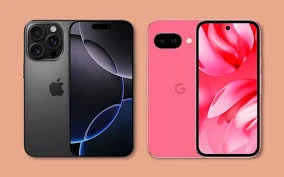
- Mobile phone
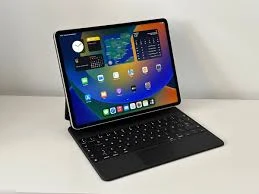
- Computer/tablet
- Television

- Radio

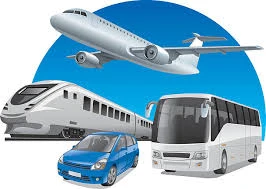
- Pictures of cars, planes, trains
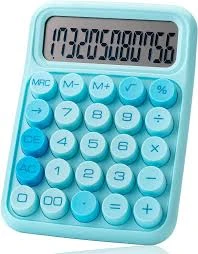
- Calculator
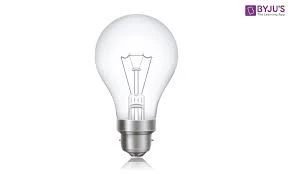
- Electric bulb
TEACHING AND LEARNING METHOD
- Simple explanation
- Show and tell
- Discussion
- Real examples
REFERENCE MATERIALS
- Primary Technology Textbook
- Basic Science Guide for Kids
ENTRY BEHAVIOUR/ PREVIOUS LESSON
Students understand what technology means and know it helps make life easier.
WORD FILE
Products, technology, machines, devices, tools, useful.
CONTENT
LESSON 1 – WHAT ARE PRODUCTS OF TECHNOLOGY?
WHAT ARE PRODUCTS OF TECHNOLOGY?
Products of technology are things made by people using science and knowledge to help us in our daily lives.
SIMPLE EXPLANATION:
- Things people make to solve problems
- Machines and tools that help us
- Devices that make life easier
- Things that didn’t exist in nature
HOW TO RECOGNIZE TECHNOLOGY PRODUCTS:
- They are made by people (not found in nature)
- They help us do things
- They make work easier
- They solve problems we have
LESSON 2 – TECHNOLOGY PRODUCTS AT HOME
TECHNOLOGY PRODUCTS WE USE AT HOME:
IN THE KITCHEN:
THESE HELP US:
- Save time and energy
- Make work easier
- Keep us comfortable
- Help us enjoy life
LESSON 3 – TECHNOLOGY PRODUCTS AT SCHOOL
TECHNOLOGY PRODUCTS WE USE AT SCHOOL:
FOR LEARNING:
- Computer – helps us learn and type
- Projector – shows pictures on wall
- Calculator – helps with math
- Printer – prints our work on paper
- Interactive whiteboard – like computer screen we can touch
FOR COMMUNICATION:
- Microphone – makes voice loud
- Speaker – plays sound loudly
- Telephone – for calling parents
- Intercom – for school announcements
FOR SAFETY AND COMFORT:
- Security cameras – keep school safe
- Fire alarm – warns of danger
- Air conditioner – keeps classrooms cool
- Electric lights – help us see clearly
FOR ADMINISTRATION:
- Photocopy machine – makes copies of papers
- Scanner – puts papers into computer
- Computer – keeps student records
HOW THESE HELP AT SCHOOL:
- Make learning more fun
- Help teachers teach better
- Keep us safe and comfortable
- Make school work easier
LESSON 4 – TECHNOLOGY PRODUCTS IN TRANSPORTATION
TECHNOLOGY PRODUCTS FOR MOVING AROUND:
ON LAND:
- Cars – carry people quickly on roads
- Buses – carry many people at once
- Trains – carry people and goods far distances
- Motorcycles – fast transport for 1-2 people
- Bicycles – pedal-powered transport
IN THE AIR:
- Airplanes – fly people across countries
- Helicopters – can land anywhere
- Hot air balloons – float in the sky
ON WATER:
- Ships – carry people and goods across oceans
- Boats – travel on rivers and lakes
- Submarines – travel underwater
TRAFFIC CONTROL:
- Traffic lights – control cars at junctions
- Road signs – tell drivers what to do
- Speed cameras – check if cars go too fast
HOW TRANSPORTATION TECHNOLOGY HELPS:
- Takes us places quickly
- Carries heavy loads
- Connects different places
- Makes travel safe and comfortable
LESSON 5 – OTHER TECHNOLOGY PRODUCTS
TECHNOLOGY PRODUCTS FOR COMMUNICATION:
- Mobile phones – call and text people
- Internet – connects computers worldwide
- Email – send messages instantly
- Social media – connect with friends
TECHNOLOGY PRODUCTS FOR HEALTH:
- Thermometer – checks body temperature
- X-ray machines – see inside body
- Ambulances – take sick people to hospital
- Medicine – helps cure diseases
TECHNOLOGY PRODUCTS FOR ENTERTAINMENT:
- Video games – for fun and playing
- Cameras – take photos and videos
- MP3 players – play music
- Toys with batteries – robots, remote control cars
TECHNOLOGY PRODUCTS FOR WORK:
- ATM machines – give money from bank
- Cash registers – count money in shops
- Elevators – carry people up tall buildings
- Escalators – moving stairs
SIMPLE vs COMPLEX TECHNOLOGY PRODUCTS:
SIMPLE:
- Scissors (cut things)
- Hammer (hit nails)
- Wheel (moves things)
- Lever (lifts heavy objects)
COMPLEX:
- Smartphone (many functions)
- Computer (many programs)
- Car (many parts working together)
- Television (receives signals from far away)
PRESENTATION
- Teacher shows mobile phone and explains it’s a technology product
- Teacher demonstrates how calculator solves math problems
- Teacher shows pictures of different technology products
- Teacher groups products by where we use them
- Teacher discusses how each product helps us
STUDENT ACTIVITIES
Students practice:
- Identifying technology products around them
- Grouping products by home, school, transportation
- Explaining how each product helps people
- Drawing their favorite technology product
EVALUATIVE ACTIVITIES
- Name five technology products at home
- Identify technology products at school
- Give examples of transportation technology
- Explain how one technology product helps us
LESSON EVALUATION/ASSIGNMENT
Students will:
- Count technology products in their home
- Draw three technology products and explain their uses
- Ask parents about technology products they didn’t have as children
- Observe technology products on their way to school
WORKBOOK
WEEKLY ASSESSMENT (TEST)
- Products of technology are things _______ by people. A. Found in nature B. Made
- A _______ keeps food fresh and cold at home. A. Television B. Refrigerator
- _______ help us learn better at school. A. Computers B. Chairs
- _______ are technology products that help us travel. A. Cars B. Roads
- Technology products are made to _______ problems. A. Create B. Solve
Topic: game (basketball court) – rules, regulations, officials
LEARNING AREA
- Introductory Activities
- Basketball Court Layout
- Basic Basketball Rules
- Simple Basketball Regulations
- Basketball Officials
PERFORMANCE OBJECTIVES
By the end of this lesson, pupils should be able to:
- Know the parts of a basketball court.
- Understand basic basketball rules.
- Follow simple basketball regulations.
- Know who the basketball officials are.
TEACHING AND LEARNING MATERIALS
- Basketball court (or drawn diagram)
- Basketball
- Pictures of basketball court
- Whistle
- Charts showing rules
TEACHING AND LEARNING METHOD
- Simple explanation
- Visual demonstration
- Discussion
- Practical examples
REFERENCE MATERIALS
- Primary Physical Education Textbook
- Basic Basketball Rules for Kids
ENTRY BEHAVIOUR/ PREVIOUS LESSON
Students know basic basketball skills like dribbling, passing, and shooting.
WORD FILE
Court, rules, regulations, officials, referee, fair, play.
CONTENT
LESSON 1 – BASKETBALL COURT LAYOUT
WHAT IS A BASKETBALL COURT?
A basketball court is the special place where basketball games are played.
PARTS OF A BASKETBALL COURT:
THE BASKET:
- High ring with net
- Two baskets (one for each team)
- Players try to put ball through basket
- Worth points when ball goes in
THE COURT LINES:
- Sidelines – lines on the sides
- Baseline – lines at the ends
- Center line – line in the middle
- Free throw line – for special shots
SPECIAL AREAS:
- Center circle – where game starts
- Free throw area – for penalty shots
- Three-point line – for bonus points
- Key area – rectangle near basket
COURT SIZE:
- Big rectangle shape
- Much bigger than classroom
- Has smooth, flat surface
- Usually made of wood or concrete
LESSON 2 – BASIC BASKETBALL RULES
SIMPLE BASKETBALL RULES:
HOW TO PLAY:
- Two teams play against each other
- Five players on each team at one time
- Put ball in opponent’s basket to score points
- Team with most points wins
BASIC RULES:
USING THE BALL:
- Use hands only (no feet)
- Cannot run while holding ball
- Must dribble (bounce) when moving
- Can pass ball to teammates
- Can shoot ball at basket
MOVING WITH THE BALL:
- Dribbling – bounce ball while walking/running
- Passing – give ball to teammate
- Shooting – throw ball at basket
- No walking – cannot walk without dribbling
SCORING POINTS:
- 2 points – for normal basket
- 3 points – for long-distance shot
- 1 point – for free throw shot
WHAT YOU CANNOT DO:
- No kicking the ball
- No hitting other players
- No pushing or shoving
- No running without dribbling ball
- No going out of bounds
LESSON 3 – SIMPLE BASKETBALL REGULATIONS
GAME REGULATIONS:
TIME RULES:
- Game time – usually 4 periods (quarters)
- Each period – 10-12 minutes for kids
- Break time – rest between periods
- Overtime – extra time if game is tied
PLAYER RULES:
- 5 players on court per team
- Substitutions – players can be replaced
- Team captain – one leader per team
- All players must wear same color shirts
FOULS (RULE BREAKING):
- Personal foul – hitting or pushing opponent
- Technical foul – arguing with referee
- Team foul – when team breaks rules too much
- Consequences – other team gets free throws
OUT OF BOUNDS:
- Ball goes outside court lines
- Game stops
- Other team gets the ball
- Play starts again from sideline
VIOLATIONS:
- Traveling – running without dribbling
- Double dribble – dribbling with both hands
- Time violations – taking too long
- Ball returns to other team
LESSON 4 – BASKETBALL OFFICIALS
WHO ARE BASKETBALL OFFICIALS?
Basketball officials are people who make sure the game is played fairly and safely.
THE REFEREE:
- Main official who controls the game
- Wears striped shirt (black and white)
- Has a whistle to stop play
- Makes decisions about rules
- Keeps game fair for both teams
WHAT THE REFEREE DOES:
- Starts the game with jump ball
- Calls fouls when players break rules
- Stops play when someone gets hurt
- Counts points when baskets are made
- Makes sure everyone follows rules
THE SCORER:
- Keeps track of points for each team
- Records fouls for each player
- Times the game with clock
- Sits at special table beside court
THE TIMEKEEPER:
- Watches the game clock
- Stops time when referee says
- Sounds buzzer when time is up
- Helps with substitutions
SIGNALS REFEREES USE:
- Whistle blow – stop play
- Hand signals – show what happened
- Pointing – show direction of play
- Arms up – basket is good
RESPECTING OFFICIALS:
- Listen to what they say
- Follow their decisions
- Don’t argue with them
- Say “yes sir/ma’am” politely
- Accept their calls even if we disagree
LESSON 5 – FAIR PLAY AND SPORTSMANSHIP
HOW TO PLAY FAIRLY:
GOOD SPORTSMANSHIP:
- Follow all rules even when no one is watching
- Respect opponents – they are not enemies
- Help injured players from any team
- Shake hands after the game
- Accept winning and losing gracefully
TEAM BEHAVIOR:
- Support teammates when they make mistakes
- Encourage rather than criticize
- Share the ball with everyone
- Work together as a team
- Listen to coach and follow instructions
DEALING WITH PROBLEMS:
- Tell the referee about rule violations
- Don’t fight or argue with opponents
- Stay calm when calls go against you
- Ask coach if you don’t understand something
- Focus on playing your best
WHY RULES ARE IMPORTANT:
- Keep everyone safe
- Make game fair for all
- Help everyone have fun
- Teach us to follow instructions
- Prepare us for life skills
SIMPLE GAME RULES TO REMEMBER:
- Play fair and be kind
- Follow what the referee says
- Keep trying your best
- Help your teammates
- Have fun while playing
PRESENTATION
- Teacher shows basketball court diagram and explains each part
- Teacher demonstrates basic rules using basketball
- Teacher explains what referees do using whistle and hand signals
- Teacher discusses fair play and good sportsmanship
- Teacher leads discussion about following rules
STUDENT ACTIVITIES
Students practice:
- Identifying parts of basketball court
- Following simple basketball rules in practice game
- Recognizing referee signals
- Demonstrating good sportsmanship
- Playing mini-games with rules
EVALUATIVE ACTIVITIES
- Name three parts of basketball court
- Explain one basic basketball rule
- Show respect for officials
- Demonstrate good sportsmanship
- Follow game rules during practice
LESSON EVALUATION/ASSIGNMENT
Students will:
- Draw a simple basketball court and label parts
- Practice following rules during recess games
- Show good sportsmanship in all games
- Ask family about sports rules they follow
WORKBOOK
WEEKLY ASSESSMENT (TEST)
- A basketball court has _______ baskets. A. One B. Two
- Each team has _______ players on the court at one time. A. Five B. Ten
- The _______ makes sure the game is played fairly. A. Coach B. Referee
- You cannot _______ while holding the basketball. A. Stand B. Run
- Good sportsmanship means being _______ to everyone. A. Mean B. Kind
Topic: what is coding? should i learn to code?
LEARNING AREA
- Introductory Activities
- What is Coding?
- Simple Examples of Coding
- Should I Learn to Code?
- Fun Ways to Start Coding
PERFORMANCE OBJECTIVES
By the end of this lesson, pupils should be able to:
- Know what coding means.
- Give simple examples of coding.
- Understand why learning to code is good.
- Know fun ways to start learning coding.
TEACHING AND LEARNING MATERIALS
- Computer/tablet
- Simple coding games (Scratch Jr.)
- Pictures of apps and games
- Robot toys (if available)
- Step-by-step instruction cards
TEACHING AND LEARNING METHOD
- Simple explanation
- Visual examples
- Hands-on activities
- Discussion
REFERENCE MATERIALS
- Primary Computer Studies Textbook
- Coding for Kids Guide
ENTRY BEHAVIOUR/ PREVIOUS LESSON
Students can use computers and understand that computers follow instructions.
WORD FILE
Coding, instructions, computer, program, apps, games, fun.
CONTENT
LESSON 1 – WHAT IS CODING?
WHAT IS CODING?
Coding means giving step-by-step instructions to a computer to make it do what we want.
SIMPLE EXPLANATION:
- Like giving directions to a friend
- Computer needs very clear instructions
- We write these instructions in special language
- Computer follows instructions exactly
CODING IS LIKE:
- Recipe for cooking – step by step instructions
- Directions to your house – turn left, go straight
- Dancing steps – step, turn, jump, clap
- Building with blocks – put this here, that there
WHAT CODING CREATES:
- Games we play on phones and computers
- Apps that help us do things
- Websites we visit on internet
- Robots that can move and talk
LESSON 2 – SIMPLE EXAMPLES OF CODING
EVERYDAY EXAMPLES OF CODING:
YOUR FAVORITE GAMES:
- Candy Crush – someone coded it
- Angry Birds – made with coding
- Minecraft – built using code
- Educational games – coded to help us learn
APPS YOU MIGHT USE:
- YouTube – coded to show videos
- Camera app – coded to take pictures
- Calculator – coded to do math
- Weather app – coded to show weather
SIMPLE CODING EXAMPLE:
To make a character move right:
- Start
- Move right 10 steps
- Stop
To make a character dance:
- Start
- Jump up
- Move left
- Move right
- Repeat 3 times
- Stop
CODING WITHOUT COMPUTERS:
- Following recipe to make sandwich
- Giving directions to bathroom
- Teaching dance moves step by step
- Building LEGO following instructions
LESSON 3 – SHOULD I LEARN TO CODE?
YES! HERE’S WHY CODING IS GREAT:
CODING IS FUN:
- Make your own games
- Create animated stories
- Build cool projects
- See your ideas come to life
CODING HELPS YOUR BRAIN:
- Problem solving – figure out how to fix things
- Logical thinking – think step by step
- Creativity – make new and exciting things
- Patience – learn to keep trying
CODING IS USEFUL:
- Future jobs – many jobs need coding
- Daily life – understand how technology works
- School work – helps with math and science
- Personal projects – make things you want
CODING IS FOR EVERYONE:
- Boys and girls can code
- Any age can start learning
- No special talent needed
- Just need to be curious and willing to try
FAMOUS PEOPLE WHO CODE:
- Bill Gates – started coding as a kid
- Mark Zuckerberg – made Facebook
- Many game creators – started young
- App developers – make apps we use
LESSON 4 – FUN WAYS TO START CODING
BEGINNER-FRIENDLY CODING:
VISUAL CODING (BEST FOR KIDS):
- Scratch Jr. – drag and drop blocks
- Code.org – fun coding games
- Blockly – puzzle-like coding
- Tynker – coding adventures
CODING WITHOUT COMPUTERS:
- Board games that teach coding logic
- Step-by-step instructions for daily tasks
- Storytelling with clear beginning, middle, end
- Following patterns in art and music
SIMPLE CODING ACTIVITIES:
- Make a robot dance using simple commands
- Create animated stories with moving characters
- Design simple games like maze puzzles
- Program characters to say hello
CODING GAMES AND APPS:
- Hour of Code – free coding lessons
- Kodable – teaches coding basics
- Bee-Bot – robot that follows commands
- Lightbot – puzzle game that teaches programming
WHAT YOU CAN CREATE:
- Simple animations – make pictures move
- Interactive stories – stories you can click
- Basic games – like tic-tac-toe
- Digital art – pictures made with code
LESSON 5 – GETTING STARTED WITH CODING
FIRST STEPS:
START SIMPLE:
- Don’t worry about mistakes – everyone makes them
- Start with drag-and-drop coding tools
- Try for 10-15 minutes at first
- Have fun and experiment
BASIC CODING CONCEPTS:
- Sequence – doing things in order
- Loops – repeating actions
- Conditions – if this, then that
- Events – when something happens
PRACTICE IDEAS:
- Make a character walk across screen
- Create a simple story with pictures
- Program a basic game like catch the ball
- Design an animated greeting card
ASK FOR HELP:
- Teachers can show you coding websites
- Parents might know coding too
- Older siblings could help you start
- Friends can learn together with you
KEEP LEARNING:
- Try new projects regularly
- Don’t give up when things seem hard
- Celebrate when your code works
- Share your creations with others
CODING TIPS FOR BEGINNERS:
- Start with visual coding tools
- Learn by doing, not just reading
- Make mistakes and learn from them
- Find coding friends to learn with
- Be patient with yourself
REMEMBER:
- Coding is like learning a new language
- Everyone starts as a beginner
- The most important thing is to have fun
- You can create amazing things with practice
PRESENTATION
- Teacher shows simple game and explains it was made with coding
- Teacher demonstrates drag-and-drop coding using Scratch Jr.
- Teacher gives step-by-step instructions like coding
- Teacher shows examples of what kids can create
- Teacher encourages students to try coding
STUDENT ACTIVITIES
Students practice:
- Following step-by-step instructions
- Giving clear directions to classmates
- Trying simple drag-and-drop coding
- Discussing what they want to create
- Planning their first coding project
EVALUATIVE ACTIVITIES
- Explain what coding means in simple words
- Give one example of something made with coding
- List two reasons why learning to code is good
- Name one way to start learning coding
- Give step-by-step instructions for simple task
LESSON EVALUATION/ASSIGNMENT
Students will:
- Try a coding game at home (with parent help)
- Give step-by-step instructions for making their bed
- Think of an app or game they would like to create
- Ask family members if they know coding
WORKBOOK
WEEKLY ASSESSMENT (TEST)
- Coding means giving _______ to computers. A. Pictures B. Instructions
- _______ Jr. is a good coding tool for kids. A. Scratch B. Paint
- Learning to code helps improve _______ solving skills. A. Math B. Problem
- _______ can learn to code. A. Only boys B. Anyone
- When starting to code, it’s okay to make _______. A. Mistakes B. Noise
This term's Basic Science topics
Basic 4 Second Term · 9 topics
- Soil, Track Event, and Typing and Saving on Microsoft Powerpoint.
- Soil (II): Track Event, and Typing and Saving on Microsoft Powerpoint.
- Soil (II): Growing of Plants & Waste Disposal
- Mixture, Physical Fitness, Virus
- Technology(I), Games: Basketball Skills, Anti-Virus
- Technology III, Game and What Is Coding
- Measurement (Measuring Liquids), Gymnastics, and Coding
- Measurement, Food/Nutrition, Use of Coding
- Shape Construction with Paper(I) and Safety at Home and School
Second Term Basic Science Lesson Notes for Other Topics
Demonstrating Air in Space
Read the full lesson note.
Air
Read the full lesson note.
Light Energy, Uses of Light and Colour
Read the full lesson note.
Colour Identification 1 - Colours of Objects
Read the full lesson note.
Colour Identification II- Road Traffic Light Signs
Read the full lesson note.
Colour Identification III - Road Markings
Read the full lesson note.
Soil
Read the full lesson note.
Soil II: Importance & Things Found in Soil
Read the full lesson note.
Water - Purifying Water
Read the full lesson note.
Water - Packaged Water
Read the full lesson note.
Soil I - Importance to Plants
Read the full lesson note.
Input Devices
Read the full lesson note.
Air in Motion I - Wind
Read the full lesson note.
Air in Motion II - Harmful Effects of Wind
Read the full lesson note.
Water
Read the full lesson note.
Lesson Notes for Other Classes

Basic 1 Lesson Note
The complete lesson note to guide your studies.

Basic 2 Lesson Note
The complete lesson note to guide your studies.

Basic 3 Lesson Note
The complete lesson note to guide your studies.

Basic 5 Lesson Note
The complete lesson note to guide your studies.

Basic 6 Lesson Note
The complete lesson note to guide your studies.
JSS1 Lesson Note
The complete lesson note to guide your studies.